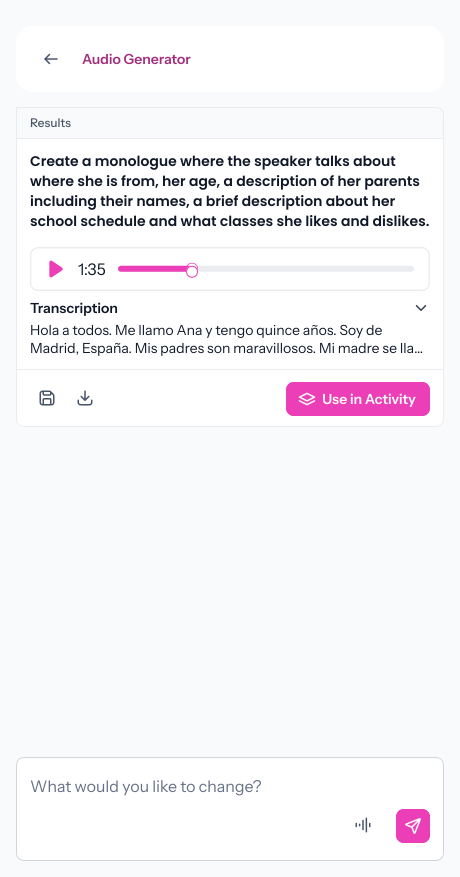
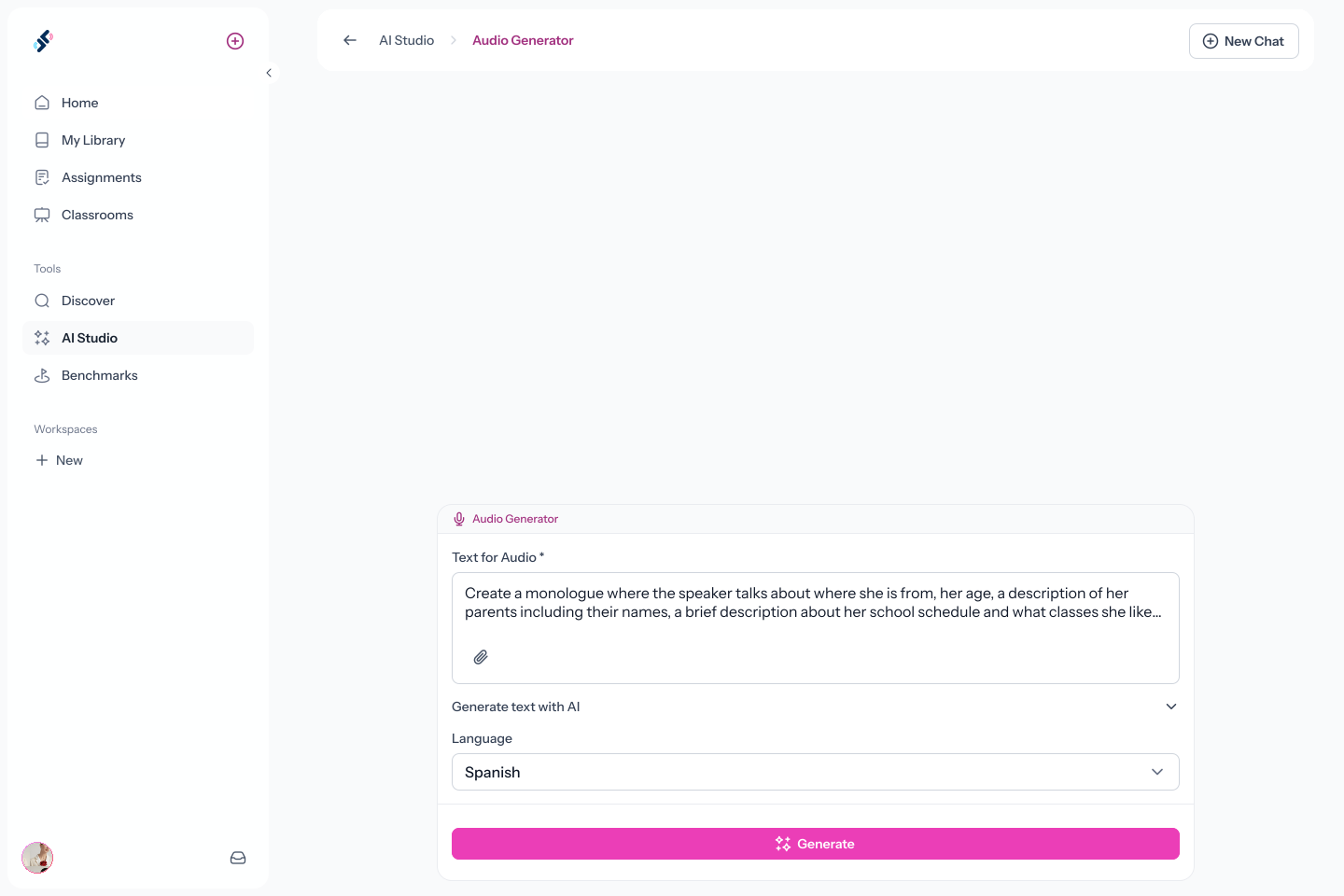
Fill out a prompt with the target language, topic, speaker type, accent, level, and any other details that matter. Paste an exact script, or let AI generate one from your description.
Step 2
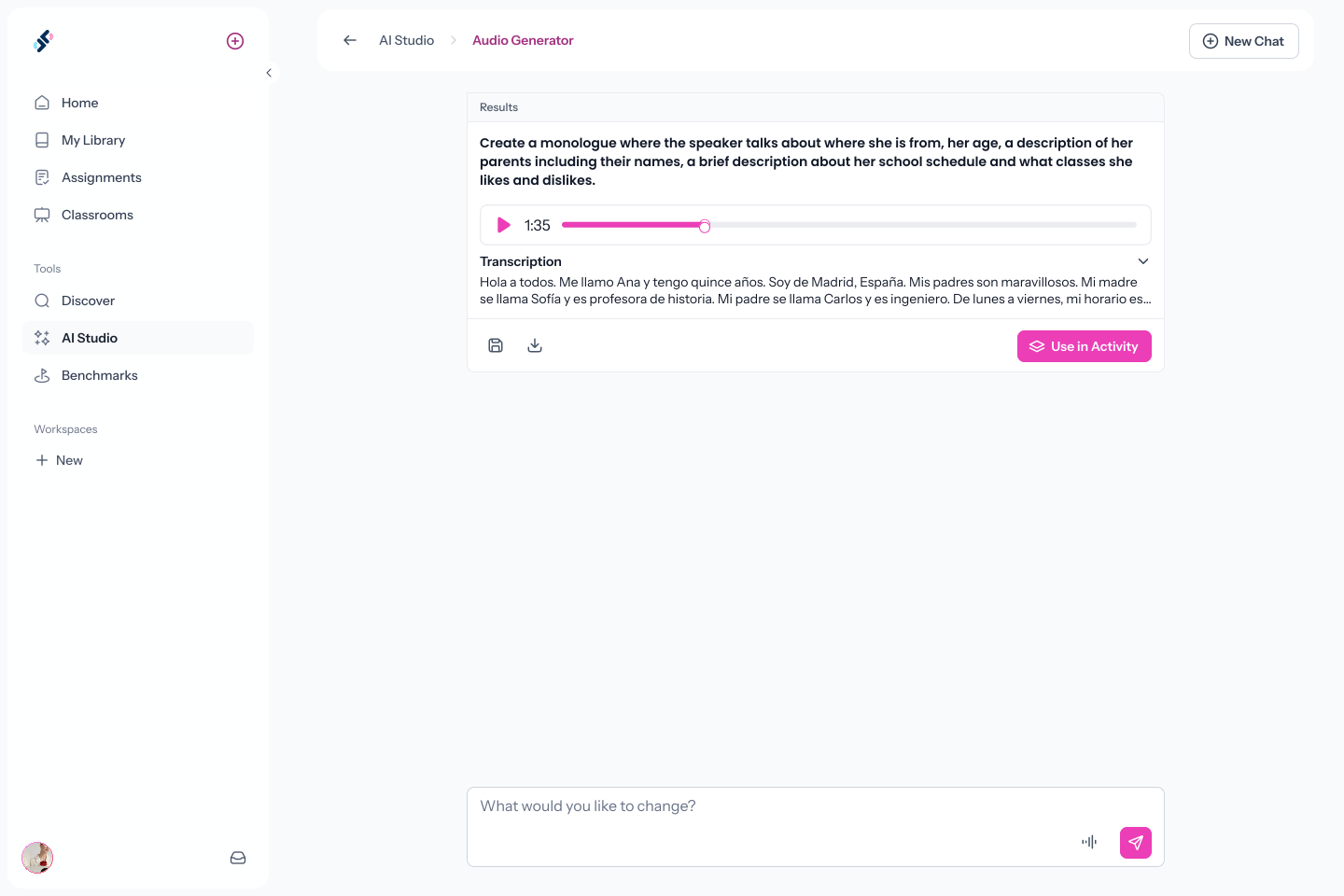
Review and Refine
Listen to the clip. If something is off, tweak the prompt and regenerate until it's right.
Step 3
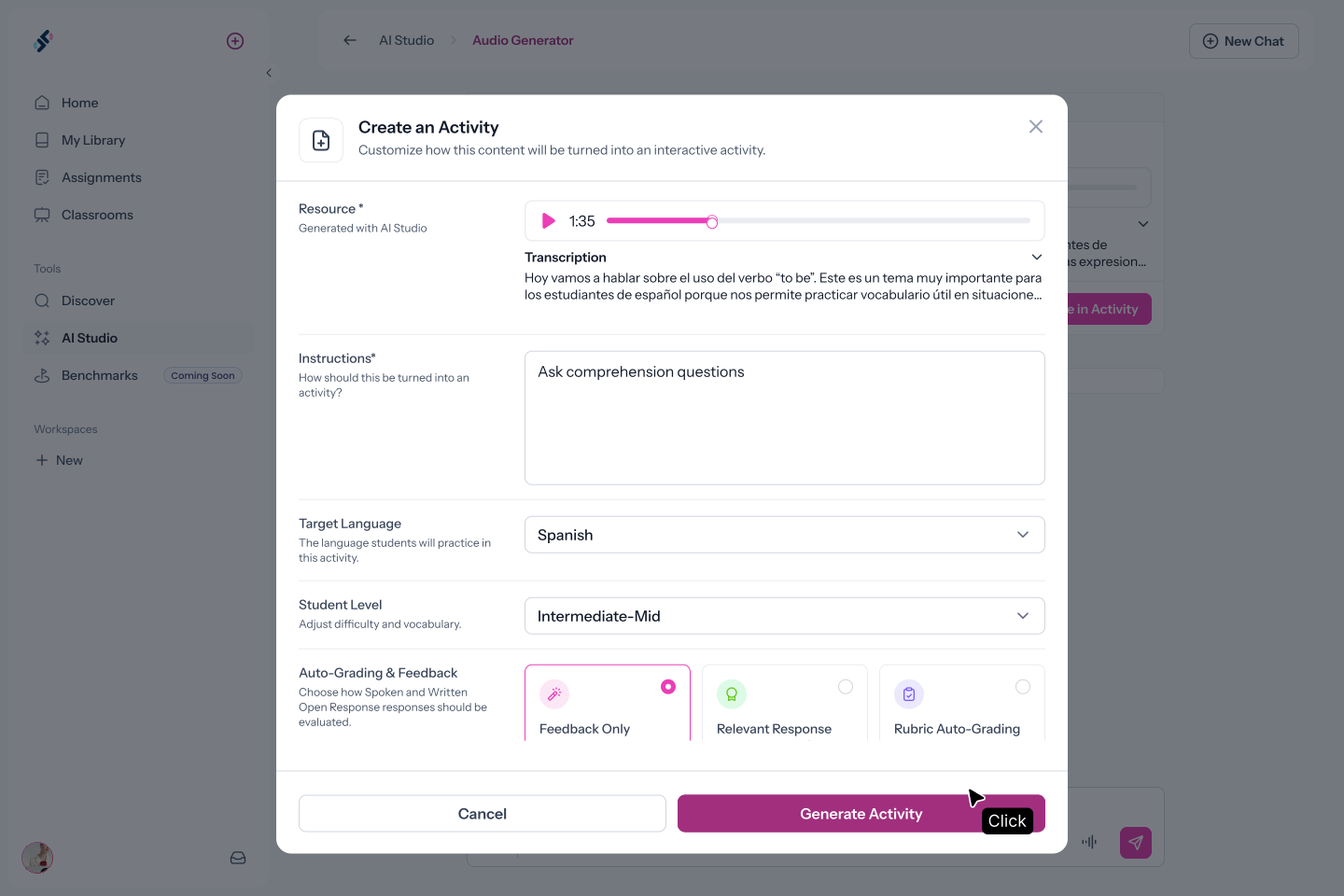
Add It to Any Activity
Hit "Use in Activity," describe what students should do, select the target language, and Speakable generates a complete activity. It builds in the background while you keep working.
FAQs
What languages does the AI Audio Generator support?
Any of the 40+ languages Speakable supports. Specify the language in your prompt and AI Studio generates a native-sounding clip in that language.
Can I specify the speaker's gender or accent?
Yes. Include those details in your prompt and the generator will account for them. You can be as specific as you like.
Can I control exactly what the audio says?
Yes. Write the exact script in your prompt and the generator will produce it. Or describe the topic and let AI decide what the clip should say.
Where do generated clips get saved?
Clips can be saved to your media library and then become available to add to any activity from the Speakable builder.
Create Audio Clips In Seconds.
Stop searching for recordings that almost fit. Generate exactly what your students need, and add it to an interactive activity today.
.svg)