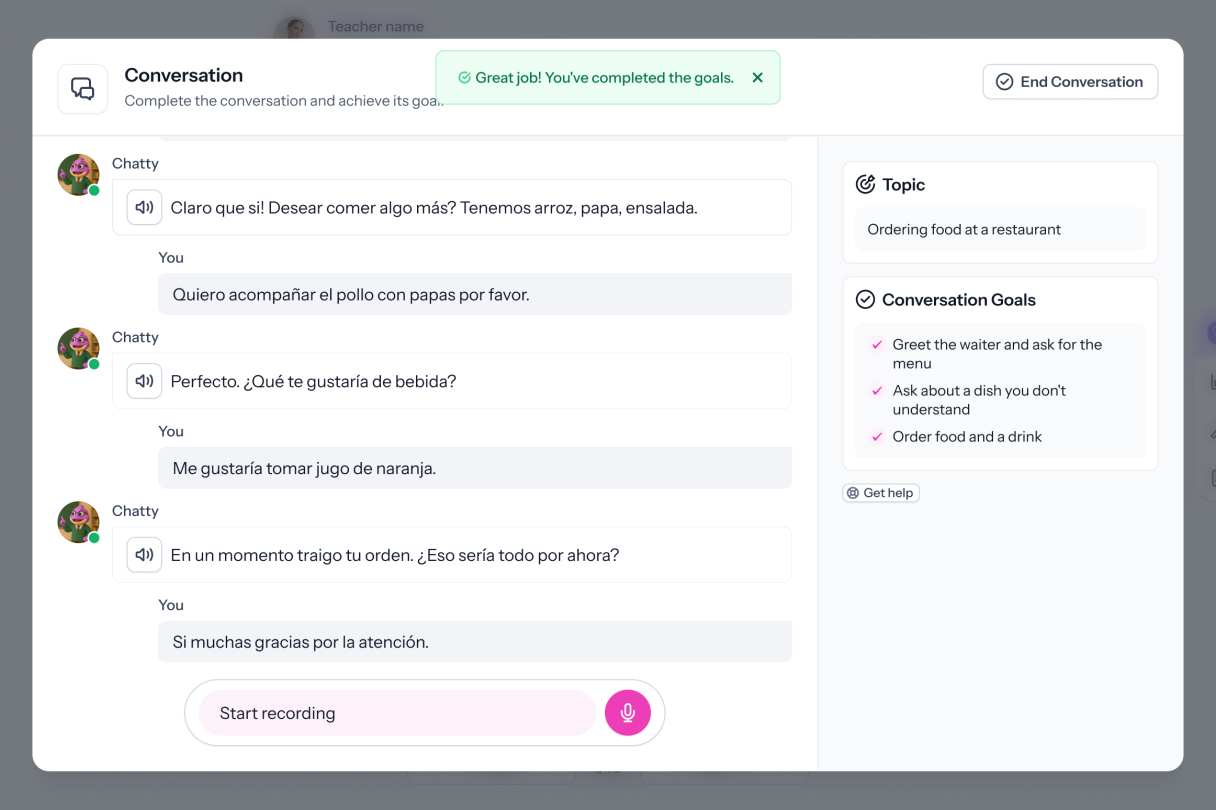
Every Student Gets a Conversation Partner.

Set the scenario, the AI's role, and the goals. Every student practices a full conversation and gets graded the moment they finish.
Dashboard mockup

What Makes Conversations Work

Configure the Scenario and the AI's Role

Set the context, define the AI's role, and describe the goals students must achieve. The AI stays in character for every student.

Set Goals Students Must Achieve

Conversations aren't open-ended. You define what students must accomplish so practice has purpose and structure.

Practice in Speaking or Writing

Students can respond by speaking or typing - your choice. Both modes are supported and deliver feedback on submission.

Configure Grading and Feedback

Attach a rubric to score conversations automatically on submission. Choose what students see: grammar insights, a proficiency estimate, rubric scores, and a suggested response. Each option is optional and configurable per activity.

“With Speakable, feedback is now FULL POWER. Within 24 hours of posting my first assignment, 8 students came up to me, completely unsolicited, to tell me how much they ENJOYED that assignment.”

Emily H.
Teacher & Content Producer
How it works

Set Up Once. Every Student Practices.

Set the Scenario

Write the context, define the AI's role, and set the goals students must achieve. Choose speaking or writing mode, then configure feedback options.

Students Converse With the AI

Each student has a conversation with the AI at their own pace. The AI stays in character and responds to the student, guiding them toward the goals you set.

Review Results Instantly

When students submit, open the gradebook to see results. If you attached a rubric, scores are ready. Feedback is delivered automatically, no recordings to review by hand.

FAQs

Can I set the AI's role and persona?
Yes. You define who the AI will be in the conversation and the context students are practicing in.
What goals can I set for students?
You describe what students need to accomplish during the conversation. The AI guides the interaction to give students the opportunity to meet those goals.
Does this work for speaking and writing?
Yes. Students can respond by speaking or by typing. Both modes provide the same feedback options on submission.
How is the conversation graded?
Grading is optional. If you attach a rubric, Speakable scores the conversation automatically when students submit. Feedback options like grammar insights, a proficiency estimate, and a suggested response are also optional and configured per activity.
How often can we run benchmarks?
Yes. Conversations work for both practice and formal assessment. Configure the feedback options to control what students see during vs. after the activity.
How do students access practice?
Students log in through your LMS, Google Classroom, or directly through Speakable. Activities appear in their assigned coursework and can be completed at their own pace.

Give Every Student a Conversation Partner

Every student deserves a chance to practice speaking, not just watch. Conversations makes it possible, every time.