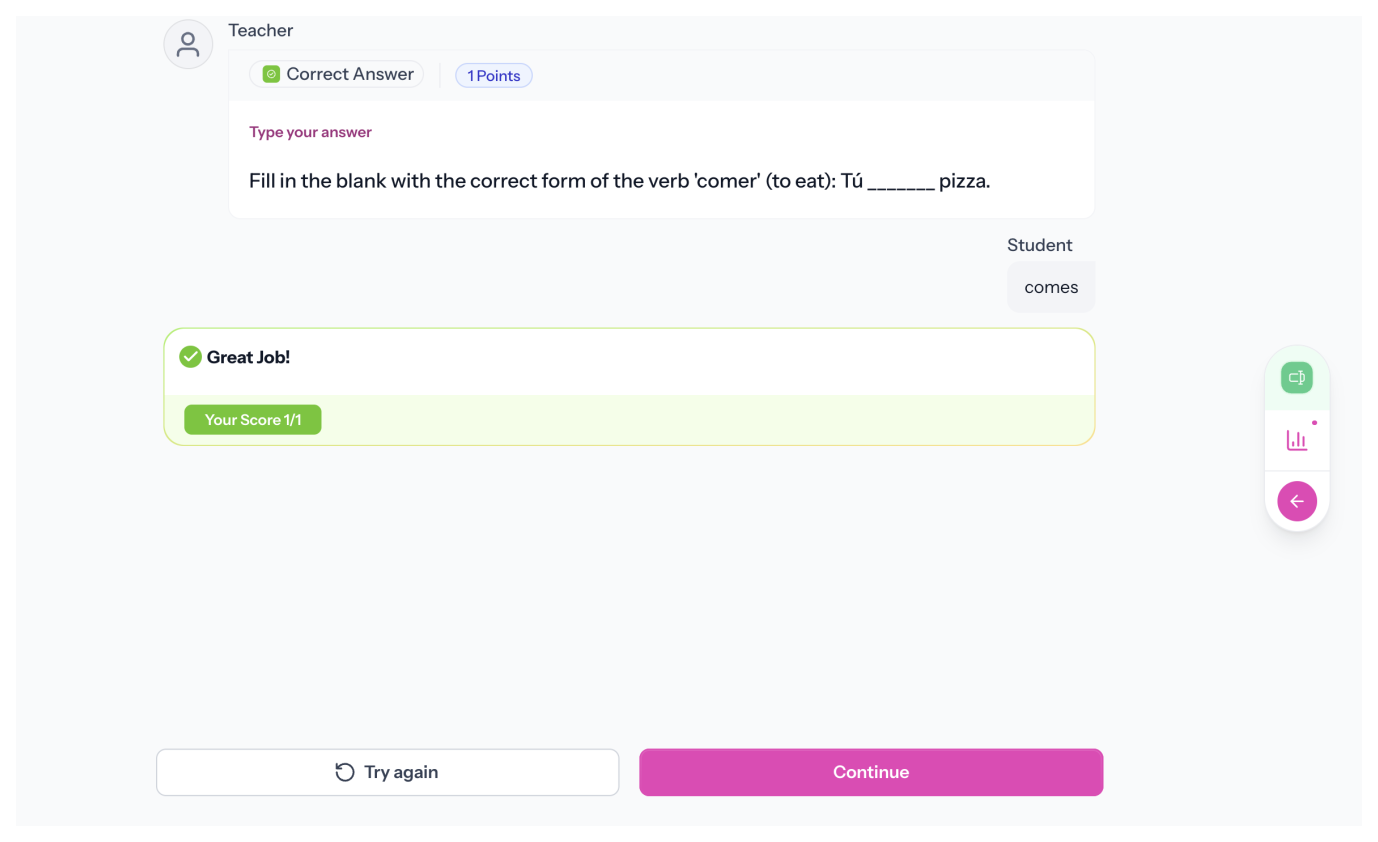
Write your question, then click Generate. AI drafts a correct answer from your prompt. Review it, tweak if needed, and you are set. Or write the answer yourself.
Grade by Meaning (or Exact Match)
When Exact Match is off, AI grades responses semantically, so correct answers still count even if wording differs. Turn Exact Match on when precision matters, like vocabulary or spelling.
Add Any Media to Your Prompt
Attach an image, audio clip, or video to build richer prompts for reading, listening, or visual questions.
Grade Instantly on Submission
Responses are evaluated as soon as students submit. Scores go straight to the gradebook.
Testimonials
What Teachers Are Saying
“With Speakable, feedback is now FULL POWER. Within 24 hours of posting my first assignment, 8 students came up to me, completely unsolicited, to tell me how much they ENJOYED that assignment.”
Emily H.
Teacher & Content Producer
“My students absolutely love that they can do this at home, privately, and the gamified aspect. I love the automatic grading based on national or state standards.”
Lindsay S.
Spanish Teacher
“What I love about Speakable is the ease of lesson creation and the immediate rubric-based feedback students receive. I can create media clips and pictures for real-world context, which is essential for our immigrant students.”
Jake S.
Math Teacher
“Speakable has helped my students develop their oral proficiency. I love the ACTFL proficiency level feedback. It’s incredibly teacher and student friendly”
Elena G
Spanish Teacher & Department Chair
“It has been almost impossible before now to assess students’ ability to speak the language. Speakable adequately and easily address that.”
Jason W.
Spanish Teacher
“We tried Speakable and were amazed at the difference it made. We had a record eighty students achieve the Missouri Seal of Biliteracy.”
Kate Toussaint
Chair, Dept. of Modern & Classical Languages
How it works
Write It Once. Grade It Automatically.
1
Create Your Prompt and Correct Answer
Write your question, attach media if needed, and add a correct answer. Click Generate to draft one with AI, or type it yourself. Choose Exact Match or AI grading.
2
Students Answer and Submit
Students read the prompt, type their response, and submit. Grading happens immediately.
3
Scores Land in the Gradebook
Scores are ready as soon as students submit. No manual review required.
FAQs
Can AI generate the correct answer for me?
Yes. Click Generate and AI drafts a correct answer from your question. Review and adjust before saving.
What's the difference between AI grading and Exact Match?
AI grading checks whether the response is semantically correct, even if wording differs. Exact Match requires the response to match your correct answer precisely. Use Exact Match for spelling, vocabulary, or other cases where exact wording matters.
Can I attach media to a short answer question?
Yes. Add an image, audio clip, video, or link for listening comprehension, image-based prompts, or any richer question.
Is the correct answer required?
No. If you leave it blank, you can still assign the question and review responses manually.
Is grading automatic?
Yes, when a correct answer is provided. Submissions are graded instantly and scores appear in the gradebook.
How do students access practice?
Students log in through your LMS, Google Classroom, or directly through Speakable. Activities appear in their assigned coursework and can be completed at their own pace.
Less Time Grading. More With Students.
Short answer questions should not create a grading backlog. Write your question and let Speakable grade every response the moment it comes in.
.svg)