What are my options for creating a rubric?
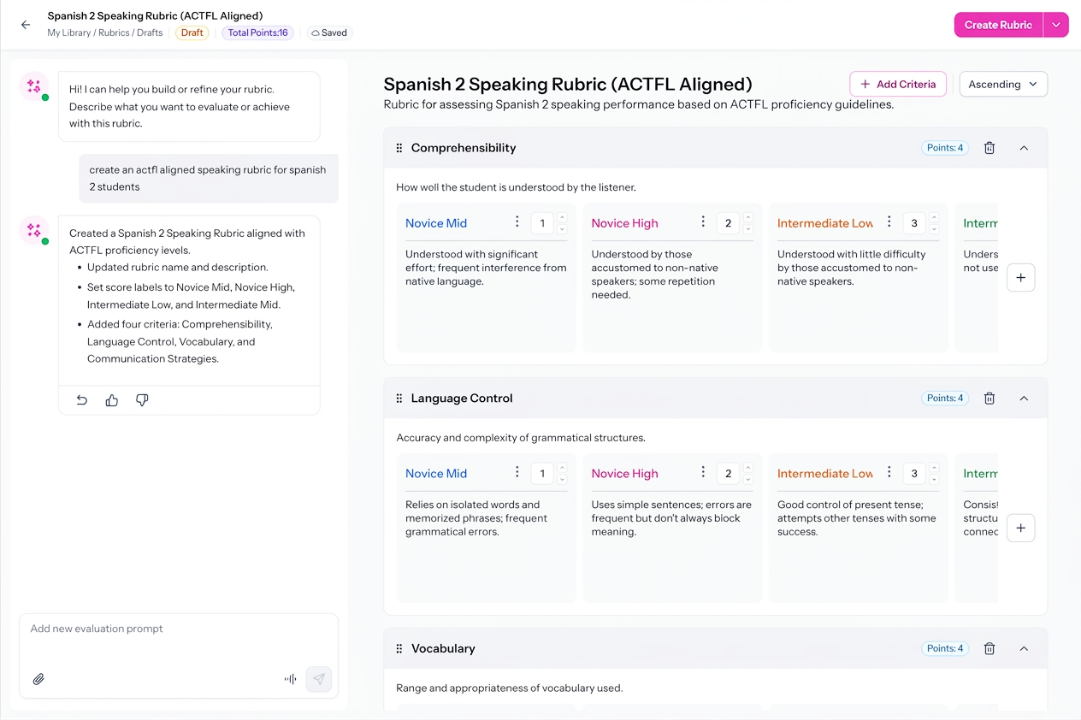
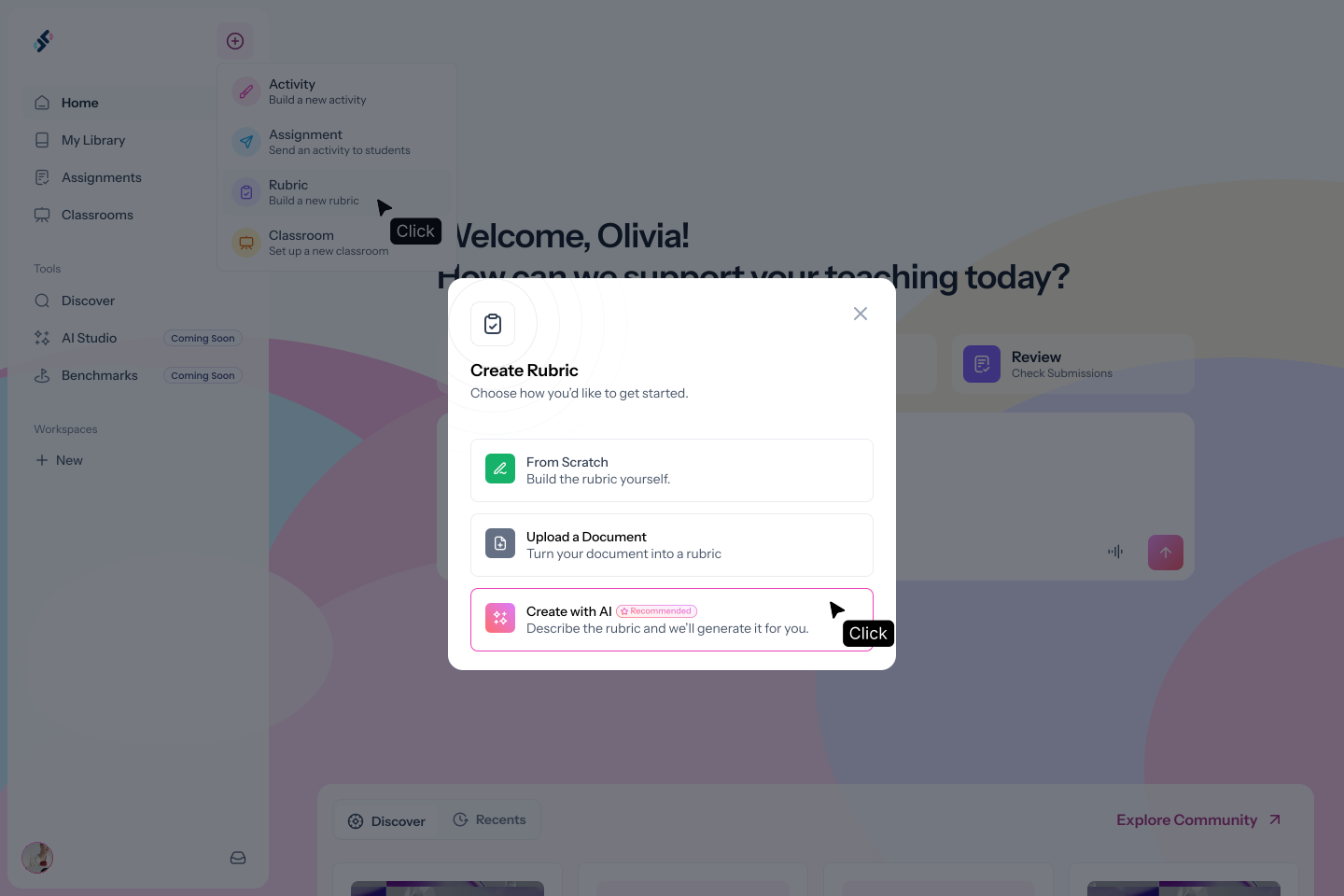
Three paths: describe the rubric using AI (recommended), upload a document and generate a rubric from its context, or build manually from scratch.
Can I type a framework name like "ACTFL speaking rubric" and get the right result?
Yes. AI Studio recognizes proficiency frameworks and generates criteria and score levels that align to the framework you name.
Can I edit the rubric after it's generated?
Yes. The rubric builder has a persistent chat sidebar. Type what you'd like to change, for example "remove the Superior level" or "add a vocabulary criterion", and AI updates it immediately. You can also make manual edits directly.
Can I use the same rubric across multiple activities?
Yes. Once saved, a rubric can be attached to any practice or assessment activity in Speakable.
Can I use a rubric outside of Speakable?
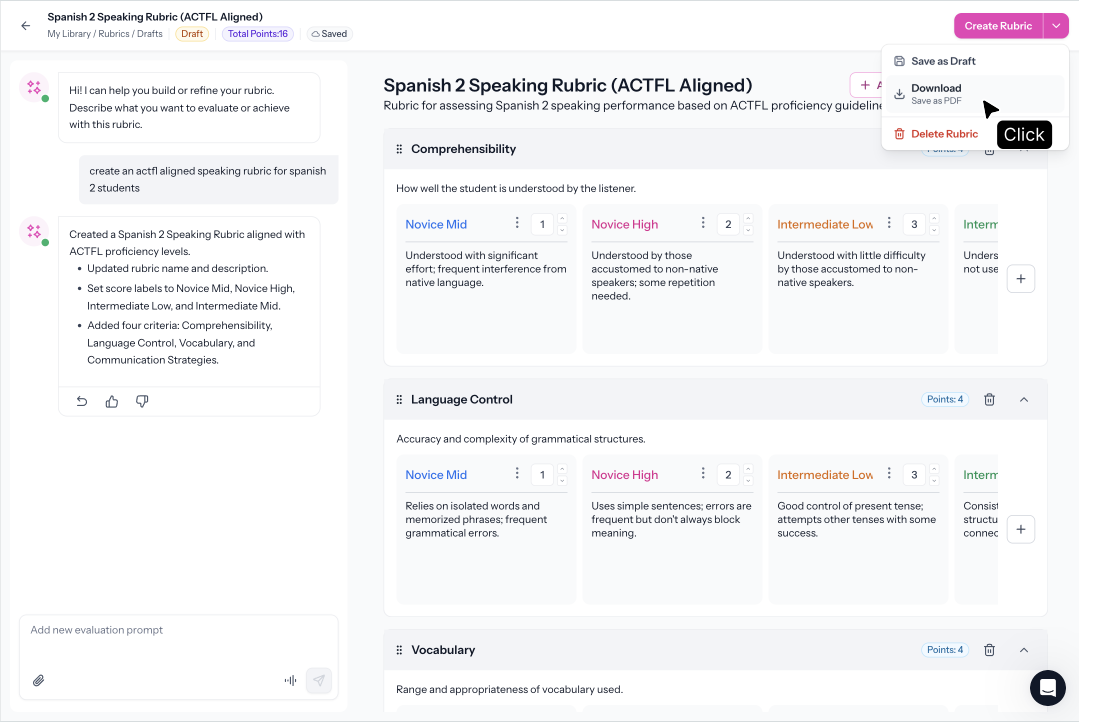
Yes. Download the rubric to print and use it for in-person assessments or any evaluation you run outside Speakable.
What frameworks can rubrics align to?
ACTFL, WIDA, TELPAS, ELPAC, AZELLA, ELPA21, and CEFR, plus any custom criteria you describe.
.svg)