Generate a rubric from a plain-language prompt or standards PDF, refine it in the rubric builder, and attach it to any activity.
Calibrate Feedback for Your Goal
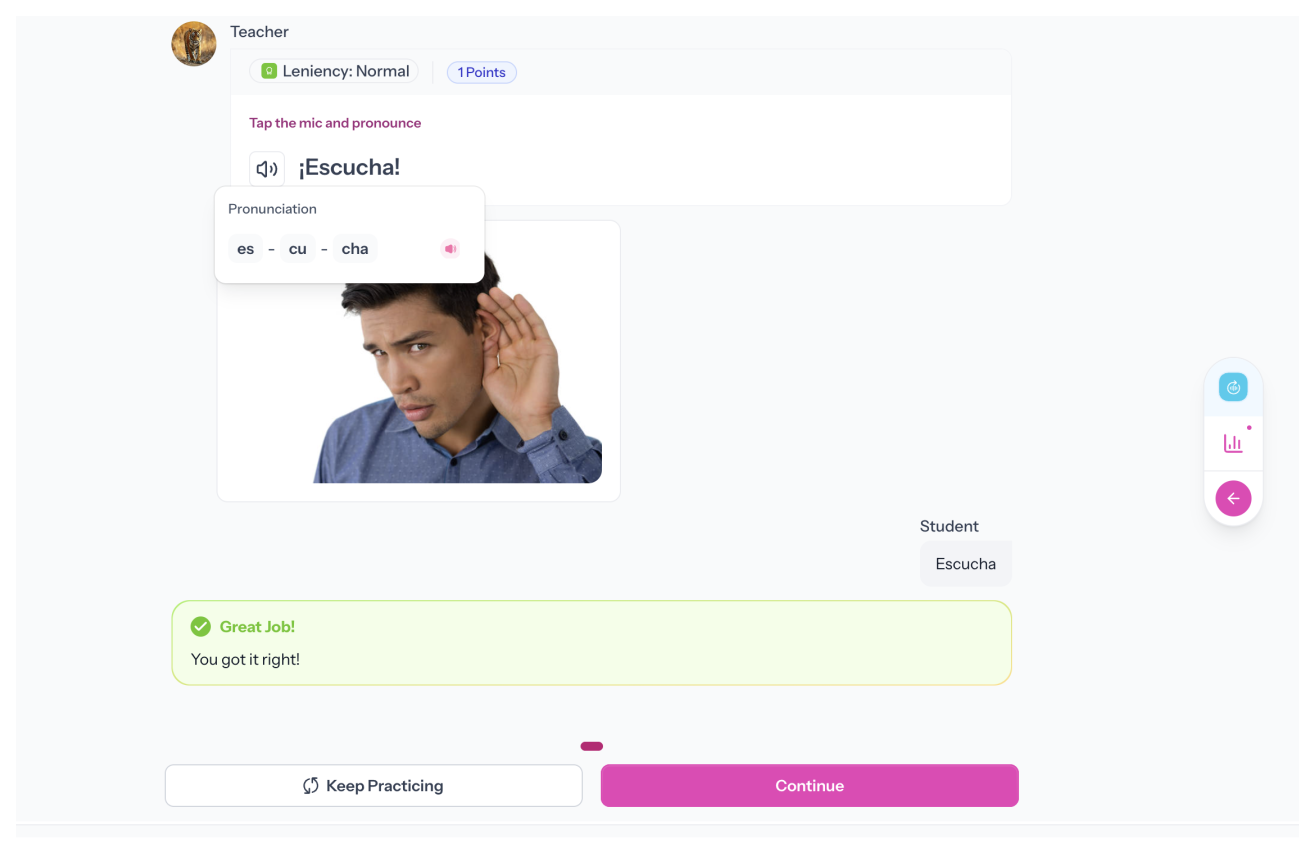
Choose the leniency level that fits the activity. Build Confidence is most forgiving for beginners; No Leniency is strict. Very Lenient and Normal sit in between.
Choose the Voice and Accent Students Hear
Pick from AI voices across regions and accents so students hear the variety you teach. Preview and swap voices anytime.
Add a Translation to Support Comprehension
Add a translation for quick reference, or generate one with AI, so students get the meaning without losing focus on pronunciation.
Control the Repetitions and Mistake Limits
Set repetitions and optional mistake limits before moving on. Configure per page to build progression across an activity.
Grade Automatically on Submission
Set repetitions and optional mistake limits before moving on. Configure per page to build progression across an activity.
“With Speakable, feedback is now FULL POWER. Within 24 hours of posting my first assignment, 8 students came up to me, completely unsolicited, to tell me how much they ENJOYED that assignment.”
Emily H.
Teacher & Content Producer
How it works
Set It Up Once. Every Student Practices.
1
Write the Phrase and Configure the Settings
Type the phrase. Choose voice and accent, set leniency, add a translation if needed, and configure repetitions and mistake limits.
2
Students Listen and Record Their Repetition
Students hear the phrase read aloud, then record their repetition. They get instant feedback on submission and can try again if you allow it.
3
Grades Are Ready When You Are
Each attempt is scored automatically. Open the gradebook. Scores are already there.
FAQs
How does pronunciation feedback work?
When a student submits, Speakable evaluates pronunciation and returns instant feedback. Your leniency level controls how strict the scoring is.
What leniency levels are available?
Four levels: Build Confidence (most lenient), Very Lenient, Normal, and No Leniency (most strict). Choose what matches the activity goal.
Can I choose the accent students hear?
Yes. Choose from AI voices across regions and accents. Preview voices to find the best fit.
Can I add a translation for students?
Yes. Type one or generate one with AI. Students can reference it while they practice.
How many times can students repeat the phrase?
As many as they would like. You can also set a minimum number repetitions per page.
Is grading automatic?
Yes. Submissions are graded against your leniency level, and scores appear in the gradebook instantly.
Pronunciation practice for everyone
Every student deserves a chance to improve. Listen and Repeat makes that practice and feedback available to everyone in class.
.svg)