We’re excited to announce the launch of Speakable’s New Results Panel, now available in beta. This update provides teachers with clearer insights, increased control, and a more efficient way to manage assignments and give feedback.
Introducing the New Results Panel in Speakable
We’re excited to announce the launch of Speakable’s New Results Panel, now available in beta. This update provides teachers with clearer insights, increased control, and a more efficient way to manage assignments and give feedback.
🖥 A New Dashboard for Results
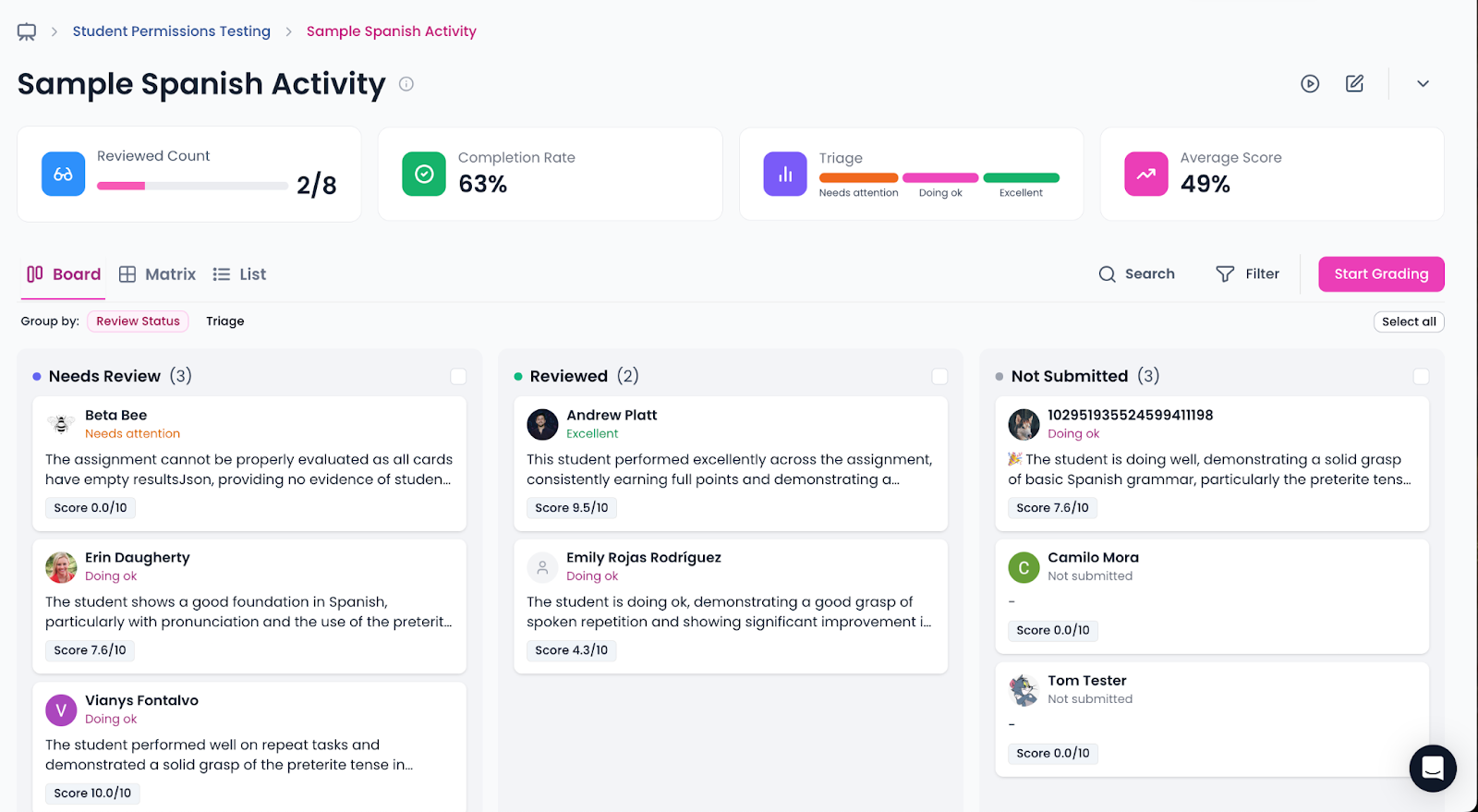
When you create an assignment with the new beta enabled, you’ll be redirected to a completely redesigned Results Dashboard.
At a glance, you’ll see:
Completion Rate – The percentage of students who have submitted vs. those still in progress.
Reviewed Assignments – A quick count of how many submissions you’ve already checked.
Average Score – An immediate overview of how the class is performing.
This overview enables you to identify trends and priorities instantly.
📋 Board View for Assignments
One of the biggest changes is the introduction of a Board View. Instead of scrolling through long lists, assignments are now organized visually in columns such as:
Not Started / In Progress
Needs Review
Reviewed
This makes it easier than ever to track student progress and focus your attention where it’s needed most.
⚡ AI‑Powered Triage (Quick Overview)
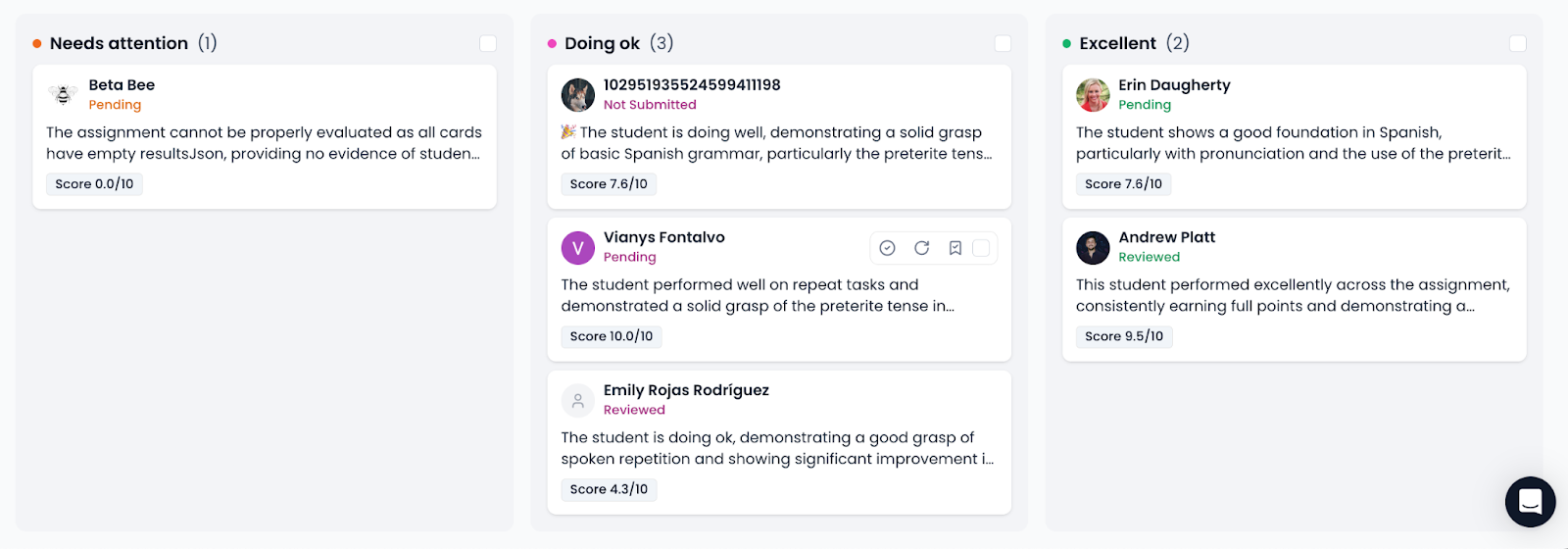
Let Speakable surface who needs attention first. The Results board groups students by AI‑generated status with a brief rationale so you can triage at a glance:
Needs attention – likely off‑track or missing key criteria; includes a short AI note and current status (e.g., Pending, Not Submitted).
Doing ok – generally meeting expectations with targeted suggestions for improvement.
Excellent – strong performance highlighted so you can quickly acknowledge and move on.
Each student card displays a score chip (e.g., 7.6/10), a status tag (Pending, Reviewed, NotSubmitted), and quick actions (open result, re-run analysis, bookmark). Use the column checkboxes to bulk mark reviewed. The triage updates automatically as new attempts arrive.
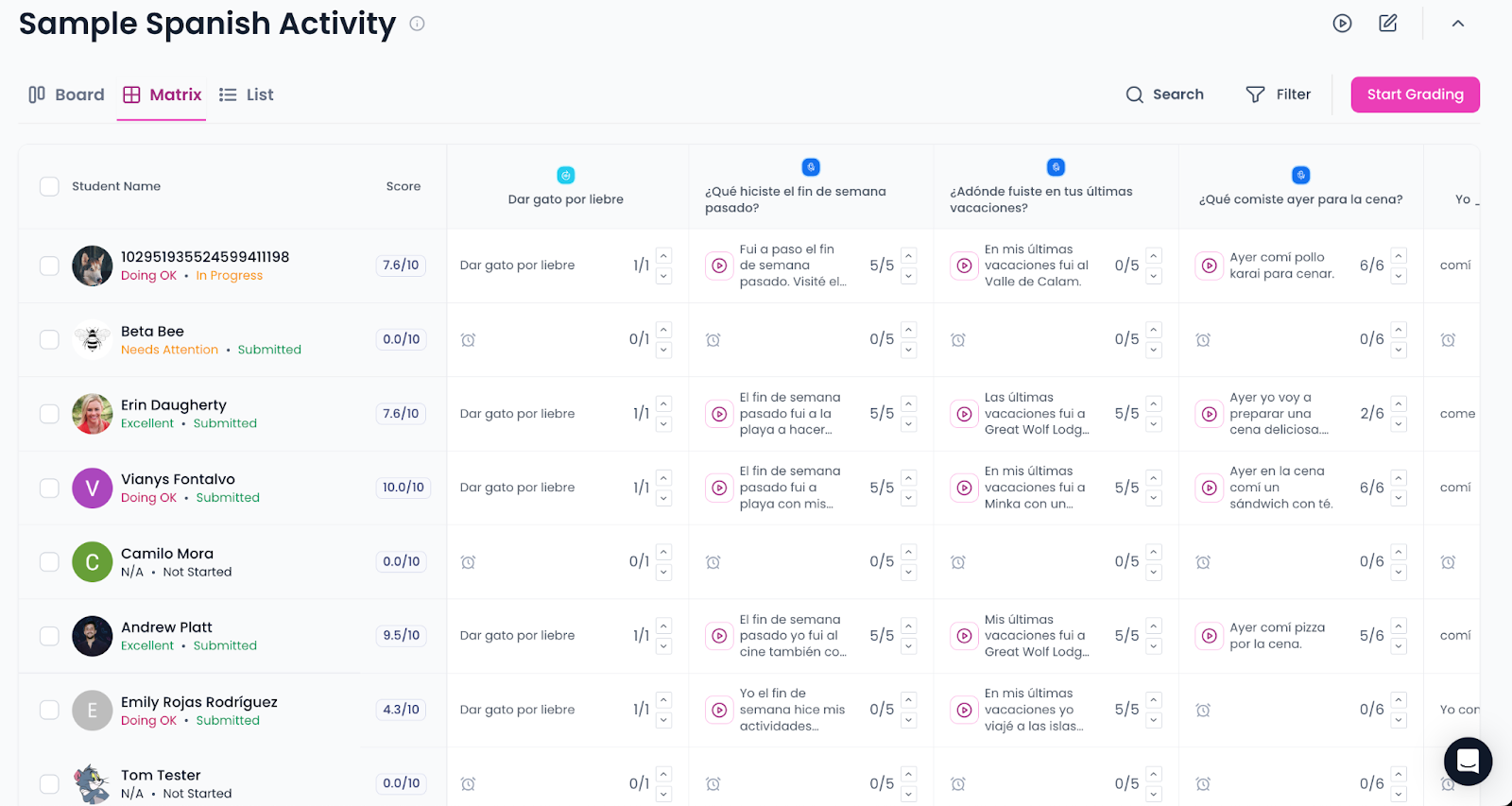
🧮 Matrix View: All Students × All Questions
Get a holistic snapshot of progress with a grid that lays out every student against every question/page in the assignment.
Color-coded cells show status at a glance (not started, in progress, submitted, needs review, passed/failed).
Inline metrics (attempts, latest score, time of last activity) without leaving the view.
Quick actions on any cell: open the attempt, mark as reviewed, leave a comment, or jump to the grading method.
Filters & sort by status, score bands, page type, or accommodation needs.
👤 Student Detail Panel
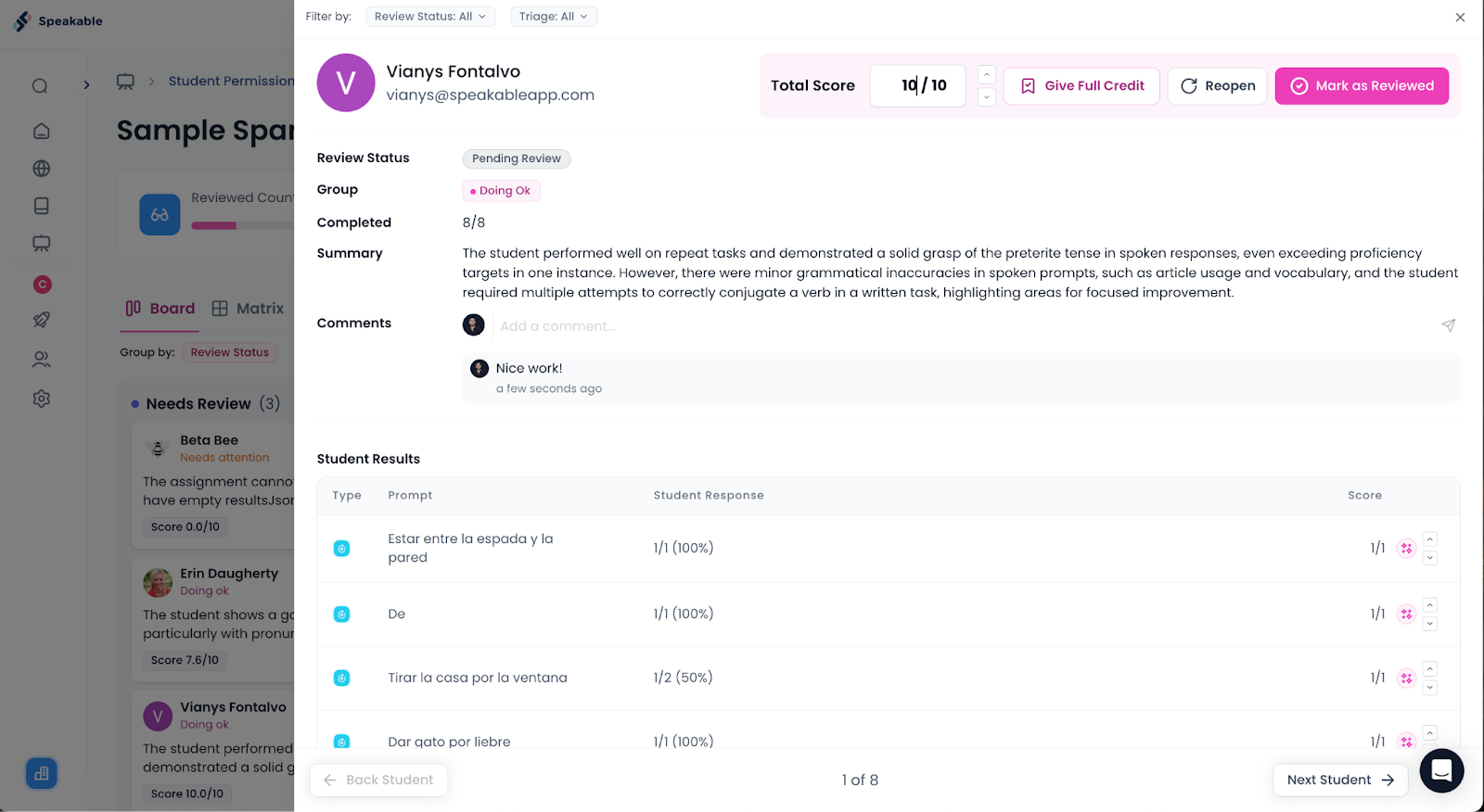
Drill into any learner’s work with a right-side detail view.
Timeline of attempts with audio playback, transcripts, and scores per page.
Per-page badges for Pass/Fail, Standards level hit, or Rubric criteria met.
At‑a‑glance insights: last activity, total attempts used vs. limit, overall grade method.
One‑click navigation to open the exact page result you’re reviewing.
🤖 AI Overviews
Accelerate feedback with concise, actionable summaries.
Per-student overview: strengths, common errors, and suggested next steps.
Class overview: trends across the group (e.g., common pronunciation issues or grammar targets).
Standards alignment callouts explaining why a level was met and what would be required to move the student up a band.
💬 Commenting & Chat History per Page
Keep feedback organized and contextual.
Comment anywhere: at the assignment level, student level, or on a specific page result.
Threaded chat history per page displays the whole conversation, including student submissions, system feedback, and teacher comments, in chronological order.
Rich formatting (markdown) for clearer, scannable notes.
Audit trail: see who commented and when, with quick links back to the attempt.
🎯 Why This Matters
The new Results Panel is designed to make assignment management faster, clearer, and more actionable. With these updates, you can:
Spend less time navigating and more time giving feedback.
Spot at-risk students earlier through completion and scoring data.
Keep your class moving smoothly with a structured workflow.
🚀 Try It Today
The Results Panel is currently in beta release. To access it, turn on New Assignment and Results Experience in your settings and create a new assignment.
We’d love to hear your feedback as we continue refining this powerful new tool for teachers.
Our blog
Latest blog posts
Tool and strategies modern teams need to help their companies grow.
.svg)




.png)